Jul 3, 2024
Best Plugins for Photography Editing in Photoshop

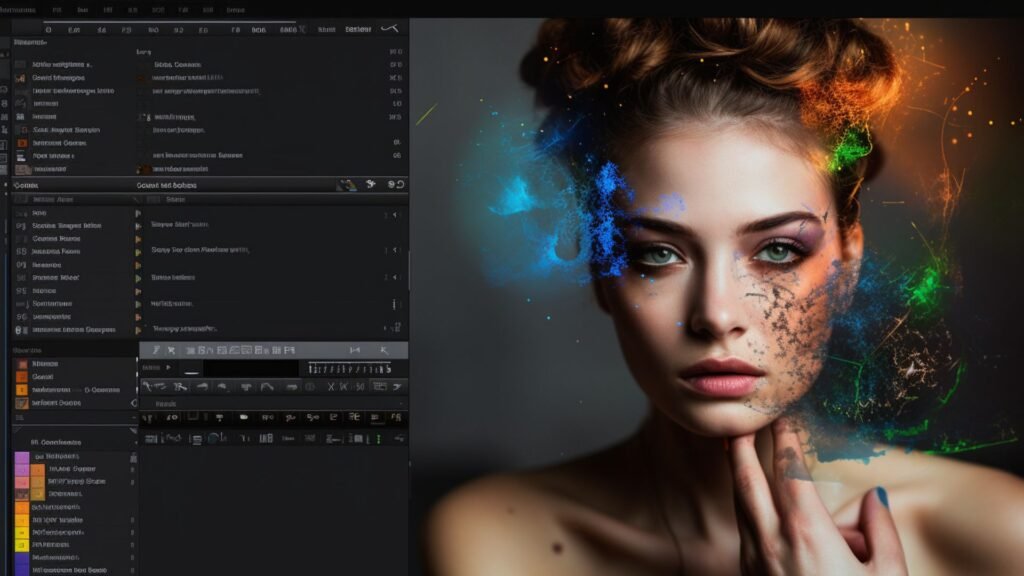
Photoshop plugins are powerful tools that extend the functionality of Adobe Photoshop, offering specialized features for photography editing. Whether you’re looking to streamline your workflow, achieve specific effects, or enhance productivity, these plugins can significantly enhance your editing capabilities. Here are some of the best plugins for photography editing in Photoshop:
Plugins for Photography Editing in Photoshop

1. Nik Collection by DxO

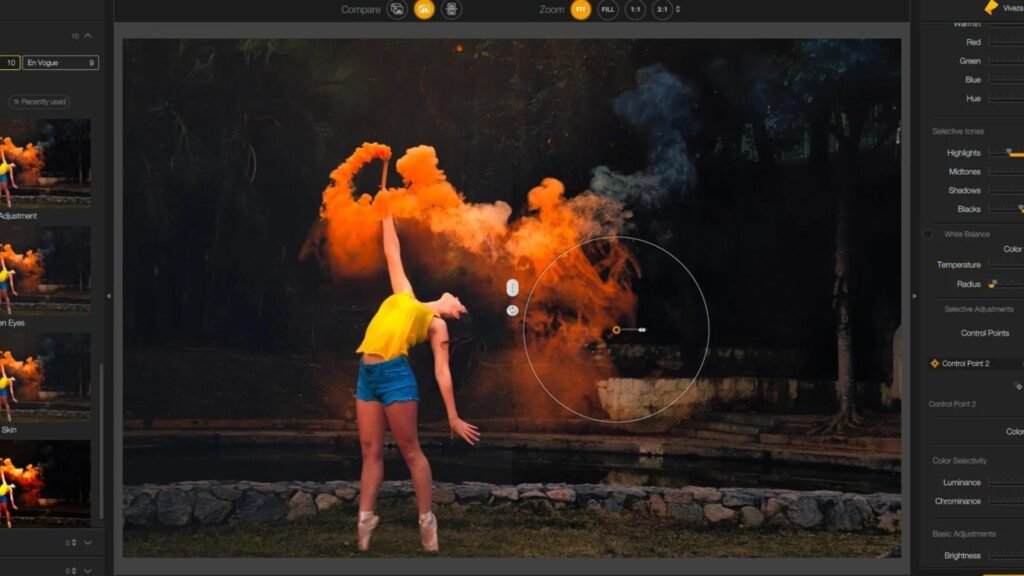
The Nik Collection is a popular suite of plugins offering a range of creative effects and tools for photographers. It includes plugins like Color Efex Pro for color correction and creative effects, Silver Efex Pro for black and white conversions, and Viveza for selective adjustments.

2. Topaz Labs Plugins

Topaz Labs offers a variety of plugins known for their advanced AI-driven features. Plugins like Topaz Adjust for creative adjustments, Topaz DeNoise AI for noise reduction, and Topaz Sharpen AI for sharpening are highly regarded among photographers for their effectiveness and ease of use.

3. Alien Skin Exposure

Exposure by Alien Skin Software is renowned for its film emulation presets and creative editing tools. It provides a wide range of film presets, textures, and overlays to replicate the look of traditional analog photography while offering modern editing capabilities.

4. Luminar AI

Luminar AI is an all-in-one photo editing solution that includes advanced AI-enhanced editing tools. It features AI Sky Replacement for easily replacing skies, AI Structure for enhancing details, and AI Enhance for one-click improvements. Luminar AI can be used both as a standalone application and as a plugin for Photoshop.

5. ON1 Effects

ON1 Effects offers a collection of filters and presets for creative editing in Photoshop. It includes a wide range of effects such as textures, borders, and stylized looks. ON1 Effects also provides tools for masking, blending, and applying adjustments selectively.

6. Imagenomic Portraiture

Imagenomic Portraiture is a specialized plugin for portrait retouching, offering automatic skin smoothing and enhancement tools. It simplifies the process of retouching portraits by automatically detecting skin tones and applying adjustments for a natural look.

7. DxO PureRAW

DxO PureRAW is a plugin designed to enhance RAW files before editing in Photoshop. It uses advanced algorithms to reduce noise, optimize detail rendering, and correct lens distortions, providing a cleaner and more detailed starting point for editing.

8. Athentech Perfectly Clear

Perfectly Clear by Athentech Imaging is a plugin that automatically corrects color, exposure, and other parameters in photos. It offers one-click corrections for batch processing and can be customized for specific editing needs.

9. Adobe Camera Raw

While not a third-party plugin, Adobe Camera Raw (ACR) is an essential tool for processing RAW files directly within Photoshop. It provides extensive controls for adjusting exposure, white balance, contrast, and other settings before proceeding with detailed editing.

Conclusion

These plugins offer diverse capabilities to enhance your photography editing workflow in Photoshop. Whether you’re focusing on creative effects, precise adjustments, or portrait retouching, integrating these plugins into your workflow can help you achieve professional-quality results efficiently. Experiment with different plugins to find the ones that best suit your editing style and creative vision, empowering you to elevate your photography to the next level.

More Details
Jul 3, 2024
How to Master Portrait Photography

Portrait photography is both an art and a skill that goes beyond capturing a person’s likeness—it’s about conveying their personality, emotions, and essence through images. Whether you’re just starting or looking to refine your techniques, mastering portrait photography requires a blend of technical proficiency, creative vision, and the ability to connect with your subjects. This comprehensive guide delves into essential techniques, tips, and strategies to help you elevate your portrait photography game and create stunning, impactful portraits.

Understanding Portrait Photography Basics

To excel in portrait photography, it’s essential to grasp the foundational aspects:

Camera Settings

Mastering your camera settings is crucial. Understand how aperture affects depth of field, how shutter speed controls motion blur, and how ISO impacts image noise. Adjusting these settings allows you to achieve the desired look and feel for your portraits, whether it’s a softly blurred background or sharp details in low light.

Focal Length and Lens Choice

The choice of lens significantly impacts your portraits. A mid-range telephoto lens, typically around 85mm, is favoured for its flattering perspective and ability to compress facial features. Experiment with different focal lengths to understand their effects on composition and perspective.

Composition Techniques

Composition plays a vital role in creating compelling portraits. Explore techniques like the rule of thirds, leading lines, and negative space to enhance visual interest and draw the viewer’s eye to your subject. Experiment with framing, angles, and perspectives to capture unique and engaging portraits.

Mastering Light and Lighting Techniques

Lighting is arguably the most critical element in portrait photography:

  • Natural Light: Utilize natural light for its softness and warmth, especially during the golden hour—shortly after sunrise or before sunset. Position your subject facing the light source or use reflectors to fill in shadows and create flattering, even illumination.
  • Artificial Light: In studio settings, experiment with artificial lighting setups using softboxes, umbrellas, or continuous lights. Learn to balance key, fill, and backlighting to sculpt your subject’s features and create mood and depth in your portraits.

Creating Connection and Expression

A great portrait captures more than physical appearance—it reveals emotion and personality:

  • Building Rapport: Establishing a connection with your subjects is crucial. Put them at ease by engaging in conversation, providing gentle direction, and showing genuine interest in their stories. A relaxed and comfortable atmosphere enhances natural expressions and authenticity in portraits.
  • Directing Poses: Guide your subjects with posing techniques that complement their physique and personality. Encourage natural movements and expressions to capture genuine moments that reflect their character. Avoid stiff poses by encouraging fluidity and spontaneity in their movements.

Post-Processing and Editing

Post-processing enhances your portraits and adds a professional finish:

  • Basic Adjustments: Use editing software to adjust exposure, contrast, and color balance to achieve a balanced and pleasing look. Fine-tune white balance to ensure accurate skin tones and adjust tones to enhance mood and atmosphere in your portraits.
  • Retouching: Apply subtle retouching techniques to enhance facial features while maintaining a natural appearance. Remove blemishes, soften skin texture, and emphasize eyes and lips using techniques like dodging and burning. Pay attention to details without over-editing to preserve the authenticity of your subjects.

Continuous Learning and Practice

Improving your portrait photography skills is an ongoing journey:

  • Study and Inspiration: Study the works of renowned portrait photographers to gain inspiration and insights into different styles and approaches. Analyze compositions, lighting techniques, and use of color to expand your creative repertoire.
  • Experimentation: Embrace experimentation by trying new lighting setups, locations, and creative concepts. Challenge yourself to push boundaries and explore unconventional ideas to develop your unique photographic style.

Conclusion

Mastering portrait photography goes beyond technical proficiency—it’s about capturing the essence of your subjects and telling their stories through compelling images. By understanding camera settings, mastering light, connecting with your subjects, refining your editing skills, and continuously learning and experimenting, you can elevate your portrait photography to new heights. Embrace creativity, hone your craft, and embark on a fulfilling journey of mastering the art of portrait photography.

More Details
Jul 3, 2024
Tips for Editing Landscape Photography

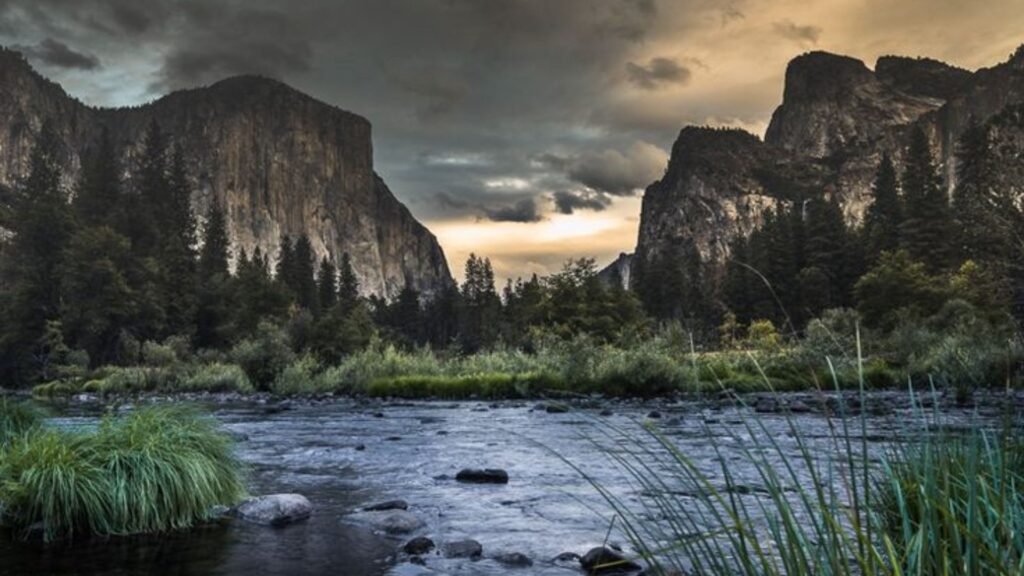
Editing landscape photography allows you to transform raw images into captivating scenes that reflect the beauty of nature. Whether you’re capturing rugged mountains, serene lakes, or vast forests, editing plays a crucial role in refining your photos. Here are essential tips to help you enhance your landscape photography through editing.

Editing Landscape Photography

1. Start with RAW Files

Begin your editing process with RAW files rather than JPEGs. RAW files contain more data and allow for greater flexibility in adjusting exposure, contrast, and colors without compromising image quality.

2. Adjust White Balance

Correcting white balance ensures accurate colors in your landscape photos. Use presets like daylight, cloudy, or shade to achieve natural tones, or manually adjust temperature and tint sliders to fine-tune color balance.

3. Enhance Contrast and Clarity

Increase contrast to make elements in your landscape stand out. Adjusting clarity enhances mid-tone contrast, bringing more detail to textures like rocks or foliage without overdoing it.

4. Work with Shadows and Highlights

Balance shadows and highlights to reveal details throughout the image. Use the shadow slider to brighten dark areas and the highlight slider to recover details in overexposed parts of the photo, ensuring a balanced exposure.

5. Use Graduated Filters for Sky and Land

Graduated filters are essential for adjusting exposure in specific areas of your landscape. Apply a graduated filter to darken or lighten the sky while preserving the exposure of the land, creating a balanced and well-exposed scene.

6. Fine-Tune Saturation and Vibrance

Adjust saturation and vibrance to enhance the intensity of colors in your landscape photos. Saturation increases the overall color intensity, while vibrance targets muted colors without oversaturating already vibrant ones, maintaining a natural look.

7. Sharpen Selectively

Apply sharpening selectively to emphasize details in key areas of your landscape, such as mountains or trees. Use masking to sharpen specific parts of the image while preserving smooth areas like the sky.

8. Remove Distractions with Cloning and Healing Tools

Use cloning and healing tools to remove distractions from your landscape photos. Remove unwanted elements like power lines, litter, or people to create a cleaner and more focused composition.

9. Consider Cropping and Straightening

Crop your landscape photos to improve composition or remove distracting elements along the edges. Straighten horizons to ensure a level perspective, enhancing the overall balance and visual appeal of your image.

10. Maintain Naturalness

While editing, strive to maintain the natural look and feel of the landscape. Avoid excessive editing that alters the original scene beyond recognition. The goal is to enhance, not drastically change, the beauty of nature.

Conclusion

Editing landscape photography requires attention to detail and a careful approach to bring out the natural beauty of the scenery. By following these tips, you can enhance colors, contrast, and details in your landscape photos effectively. Experiment with different editing techniques, practice regularly, and refine your skills to create stunning landscape images that captivate viewers and showcase the wonders of the natural world.

More Details
Jul 3, 2024
Best Online Courses for Learning Photography Editing

Photography editing is a crucial skill for photographers aiming to enhance their images and bring their creative vision to life. Whether you’re a beginner looking to learn the basics or an experienced photographer wanting to refine your editing techniques, enrolling in online courses can provide structured learning and valuable insights. Here are some of the best online courses available for learning photography editing:

Online Courses for Learning Photography Editing

Introduction to Photography Editing

Understanding the fundamentals of photography editing is essential for creating compelling and professional-quality images. These online courses cover basic to advanced editing techniques using popular software like Adobe Photoshop and Lightroom.

1. Adobe Photoshop CC – Essentials Training Course (Udemy)

This comprehensive course on Udemy is ideal for beginners who want to learn the basics of Photoshop CC. It covers essential tools, techniques, and workflows for editing photos effectively. Topics include layers, masks, retouching, and color correction.

2. Adobe Lightroom Classic CC – The Complete Guide (Udemy)

Learn how to organize, edit, and enhance photos using Adobe Lightroom Classic CC with this extensive course on Udemy. Discover workflow tips, develop presets, and master advanced editing techniques to streamline your photo editing process.

3. CreativeLive Photography Courses (CreativeLive)

CreativeLive offers a range of photography courses taught by industry experts. Explore courses on photo editing, composition, lighting, and more. Courses are suitable for all skill levels, from beginners to professionals looking to refine their skills.

4. The Art of Photography and Editing (Coursera)

This Coursera course provides an overview of photography fundamentals and advanced editing techniques. Learn how to use editing software to enhance images creatively while understanding the artistic aspects of photography.

5. Mastering Lightroom: Photo Editing Workflow (LinkedIn Learning)

LinkedIn Learning offers this course focusing on mastering Adobe Lightroom for efficient photo editing workflows. Learn organizational strategies, editing techniques, and tips for enhancing photos while maintaining a consistent style.

Advanced Photography Editing Techniques

For photographers looking to delve deeper into advanced editing techniques and creative approaches, these courses offer specialized knowledge and skills.

6. Advanced Photoshop Techniques (KelbyOne)

KelbyOne offers advanced Photoshop courses taught by industry professionals. Explore topics like compositing, advanced retouching, special effects, and digital manipulation techniques to take your editing skills to the next level.

7. Fine Art Photography: Creating Large Format Prints (Udemy)

This course on Udemy focuses on preparing photos for large-format printing, emphasizing detailed editing techniques and color management. Ideal for photographers interested in producing high-quality prints for exhibitions or portfolios.

8. Portrait Retouching Fundamentals in Photoshop (Phlearn)

Phlearn’s course teaches essential portrait retouching techniques using Photoshop. Learn skin retouching, color correction, and enhancing facial features to create polished and professional-looking portraits.

Specialized Photography Editing Skills

Expand your editing skills with specialized courses that cater to specific genres or techniques in photography.

9. Landscape Photography Editing Masterclass (Nick Page)

Join landscape photographer Nick Page in this masterclass focused on editing techniques for landscape photography. Learn how to enhance colors, manage dynamic range, and create compelling compositions using Lightroom and Photoshop.

10. Food Photography Editing and Styling (Udemy)

Perfect your food photography editing and styling skills with this course on Udemy. Explore techniques for enhancing food colors, adjusting lighting, and styling compositions to create mouth-watering food images.

11. Architectural Photography: Editing in Lightroom and Photoshop (KelbyOne)

KelbyOne’s course teaches editing techniques specifically for architectural photography. Learn how to correct perspective, enhance details, and achieve balanced exposures for architectural images using Lightroom and Photoshop.

Free Photography Editing Courses

For budget-conscious photographers, these free courses offer valuable insights and basic editing skills without any cost.

12. Adobe Photoshop Lightroom Classic CC – The Absolute Beginner’s Guide (Skillshare)

Skillshare offers this beginner-friendly course on Adobe Lightroom Classic CC. Learn basic editing tools, photo organization, and workflow tips to start editing your photos effectively.

13. Introduction to Photo Editing (Alison)

Alison provides a free introductory course on photo editing, covering fundamental techniques and editing software basics. Perfect for beginners looking to explore photo editing without financial commitment.

Tips for Choosing the Right Online Course

When selecting an online photography editing course, consider the following factors to ensure it meets your learning goals and preferences:

  • Course Content: Look for courses that cover topics relevant to your interests and skill level, whether it’s basic editing techniques or advanced retouching.
  • Instructor Expertise: Choose courses taught by experienced photographers or industry professionals known for their expertise in photography and editing.
  • Reviews and Ratings: Read reviews and ratings from past students to gauge the course’s quality, effectiveness, and instructor engagement.
  • Hands-On Practice: Opt for courses that include practical assignments or hands-on exercises to apply what you’ve learned and improve your editing skills.
  • Software Compatibility: Ensure the course is compatible with editing software you have or plan to use, such as Adobe Photoshop or Lightroom.

Conclusion

Investing in online photography editing courses can significantly enhance your editing skills and elevate the quality of your photographs. Whether you’re a beginner or experienced photographer, these courses provide valuable knowledge, techniques, and practical insights to help you master the art of photography editing.

More Details
Jul 3, 2024
Best Camera Cleaning Kits for Maintaining Gear

Cleaning your camera gear regularly is crucial for maintaining its performance and longevity. Here are some of the best camera cleaning kits available that can help you keep your equipment in top condition:

Altura Photo Professional Cleaning Kit

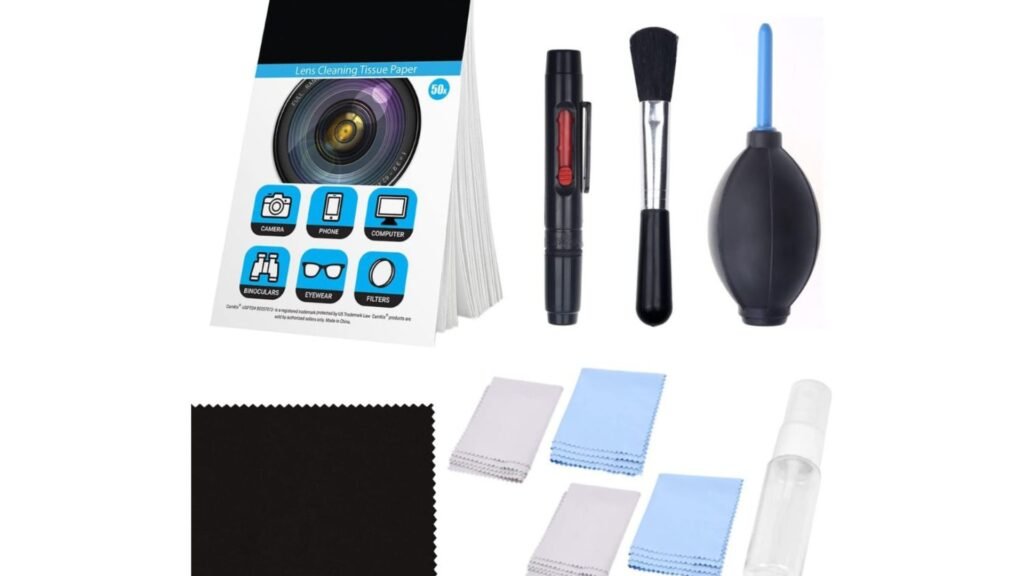
This comprehensive kit includes a wide range of tools such as lens cleaning pens, lens brush, air blower, cleaning cloths, and lens cleaning solution. It’s suitable for cleaning cameras, lenses, filters, and other sensitive optical equipment.

Nikon Cleaning Combo Kit

Specifically designed for Nikon cameras and lenses, this kit includes a lens pen, air blower, microfiber cleaning cloth, and cleaning solution. It’s compact and portable, making it ideal for travel photographers.

Zeiss Lens Cleaning Kit

Zeiss is renowned for its high-quality optics, and their lens cleaning kit reflects this standard. It includes a lens cleaning spray, microfiber cloth, and 10 individually wrapped pre-moistened lens wipes. This kit is gentle yet effective for cleaning delicate lenses and filters.

CamKix Professional Camera Cleaning Kit

This kit comes with a variety of tools such as lens cleaning pen, air blower, double-sided lens cleaning cloth, and alcohol-free cleaning solution. It’s suitable for both DSLR and mirrorless cameras, providing a thorough cleaning experience.

Giottos AA1900 Rocket Air Blaster

The Giottos Rocket Air Blaster is a must-have for safely removing dust and debris from camera sensors, lenses, and other sensitive areas. Its ergonomic design and powerful air stream make it effective and safe to use.

Photographic Solutions Sensor Swab Ultra Kit

For those comfortable with sensor cleaning, this kit includes sensor swabs and Eclipse cleaning solution designed for safe and effective sensor maintenance. It’s essential for removing stubborn dust and particles from camera sensors.

LensPen Pro Cleaning Kit

LensPen offers a compact and convenient cleaning solution with their Pro Cleaning Kit. It includes a LensPen for cleaning lenses and filters, a MicroPro for eyepieces and viewfinders, and a MiniPro for smartphone lenses. It’s portable and easy to carry on the go.

KoPa Lens and Screen Cleaning Kit

This kit includes a lens cleaning pen, microfiber cleaning cloth, cleaning solution, and air blower. It’s suitable for cleaning lenses, screens, and other optical surfaces, providing a complete cleaning solution for photographers.

Pacroban Camera Cleaning Kit

Pacroban’s kit includes a lens cleaning pen, air blower, microfiber cleaning cloth, and cleaning solution. It’s designed for DSLR, mirrorless, and point-and-shoot cameras, offering a basic yet effective cleaning solution.

LensPouch Microfiber Cleaning Cloth Set

While not a full cleaning kit, LensPouch offers high-quality microfiber cleaning cloths in various sizes and colors. These cloths are ideal for daily maintenance and removing smudges, fingerprints, and dust from lenses and screens.

Conclusion

When choosing a camera cleaning kit, consider your specific needs, the type of camera gear you have, and the frequency of cleaning required. Regular maintenance using these kits will help you preserve the quality of your equipment and ensure optimal performance for years to come.

More Details
Jul 3, 2024
Best Photography Gear for Beginners

Starting in photography is an exciting journey, but choosing the right gear can be overwhelming amidst the array of options available. Whether you’re looking to capture breathtaking landscapes, intimate portraits, or vibrant street scenes, having the essential equipment is crucial for achieving your photographic goals. This guide will walk you through the must-have gear for beginners, ensuring you make informed decisions that align with your interests and budget.

Choosing the Right Camera

Your camera choice sets the foundation for your photographic endeavours. For beginners, the decision often centres around DSLR and mirrorless cameras:

  • DSLR Cameras: These cameras feature a mirror mechanism that reflects light into an optical viewfinder, providing a direct view through the lens. They are prized for their robust build, extensive lens compatibility, and excellent image quality. DSLRs are ideal for those who prefer a traditional shooting experience and versatility in lens options.
  • Mirrorless Cameras: Mirrorless cameras, on the other hand, omit the mirror mechanism found in DSLRs, resulting in a more compact and lightweight design. They utilize electronic viewfinders or LCD screens for framing shots. Mirrorless cameras are celebrated for their advanced features such as silent shooting, in-body image stabilization, and faster continuous shooting speeds. They are favoured by beginners for their ease of use, intuitive controls, and high-quality image output.

Essential Lenses for Versatility

Once you’ve chosen a camera body, investing in lenses enhances your creative capabilities and allows you to explore different genres of photography:

  • Kit Lens (18-55mm): Often bundled with DSLR or mirrorless cameras, the kit lens covers a versatile focal range from wide-angle to moderate telephoto. It’s suitable for everyday shooting, including landscapes, portraits, and street photography.
  • Prime Lens (35mm or 50mm): Prime lenses have a fixed focal length, offering superior image quality, sharper details, and better performance in low-light conditions compared to zoom lenses. They encourage photographers to think critically about composition and framing, making them ideal for portraits, street photography, and low-light shooting.
  • Telephoto Zoom Lens (70-300mm): A telephoto zoom lens extends your reach, allowing you to capture distant subjects with clarity and detail. It’s indispensable for wildlife photography, sports events, and capturing compressed perspectives in landscapes.

Tripod for Stability and Long Exposures

Photography often requires steady hands, especially in low-light conditions or when shooting long exposures. A reliable tripod provides stability, ensuring sharp images by minimizing camera shake. Look for lightweight yet durable tripods that are easy to set up and adjust. Consider models with features like quick-release plates, adjustable height, and sturdy legs for versatility in different shooting environments.

Memory Cards and Storage Solutions

Invest in high-quality memory cards with ample storage capacity and fast read/write speeds (Class 10 or higher) to accommodate your photography needs. Fast memory cards are essential for shooting in burst mode, recording high-definition video, and transferring files quickly to your computer or external storage. Additionally, consider backup solutions such as external hard drives or cloud storage services to safeguard your precious images and ensure data redundancy.

Camera Bag for Protection and Convenience

A well-designed camera bag protects your gear from dust, moisture, and accidental bumps while keeping everything organized and easily accessible. Choose a bag that fits your camera body, lenses, accessories, and personal items comfortably. Look for features like padded compartments, adjustable dividers, weather-resistant materials, and additional pockets for storing essentials like memory cards, batteries, and cleaning supplies.

Additional Accessories for Enhanced Photography

  • External Flash: Improve lighting conditions in low-light environments or add fill-flash for portraits and indoor photography.
  • Lens Filters: UV filters protect your lens from scratches and dust, while polarizing filters reduce glare and enhance colours, particularly useful for landscape photography. Neutral density (ND) filters allow you to control exposure settings in bright conditions, enabling longer shutter speeds for creative effects like silky waterfalls or blurred motion.
  • Remote Shutter Release: Minimize camera shake during long exposures, group portraits, or self-portraits by using a remote shutter release. Wireless or cable-operated remotes allow you to trigger the camera shutter without physically touching it, ensuring sharp images.

Investing in Learning Resources

Beyond acquiring gear, investing in educational resources such as photography books, online courses, workshops, and tutorials accelerates your learning curve. These resources offer valuable insights into composition techniques, lighting principles, post-processing workflows, and genre-specific tips, empowering you to hone your skills and develop your unique photographic style.

Conclusion

In conclusion, choosing the best photography gear as a beginner involves understanding your photography goals, preferences, and budget constraints. Start with a reliable camera body and essential lenses that align with the genres you wish to explore. As you gain experience and confidence, you can gradually expand your gear collection to include accessories that enhance your creative vision and photographic capabilities. Remember, photography is as much about storytelling and artistic expression as it is about technical proficiency. Embrace the learning process, experiment with different equipment, and enjoy capturing moments that inspire and resonate with you. Happy shooting!

More Details
Jul 3, 2024
Tips for Mastering Portrait Photography Editing

Portrait photography is an art form that extends beyond capturing moments—it involves enhancing and perfecting images to showcase the beauty and personality of your subjects. Effective editing plays a crucial role in achieving professional-quality portraits. Here are some valuable tips to help you master portrait photography editing:

Portrait Photography Editing

Introduction to Portrait Photography Editing

Editing portrait photos involves refining facial features, adjusting lighting, and enhancing details to create visually appealing images. Whether you’re a beginner or seasoned photographer, these tips will help you elevate your portrait photography skills through editing techniques.

Shoot in RAW Format

When possible, shoot in RAW format to capture maximum detail and flexibility during editing. RAW files retain more information than JPEGs, allowing for better adjustments to exposure, color, and white balance without compromising image quality.

Use a Consistent Editing Style

Developing a consistent editing style helps define your photographic identity and creates a cohesive portfolio. Experiment with different editing presets or create your own to achieve a distinct look that complements your subjects and photography style.

Focus on Skin Retouching

Achieve natural-looking skin tones by using soft, subtle techniques for retouching. Avoid over-processing or excessive smoothing, as it can lead to unnatural results. Tools like healing brushes and frequency separation can help address blemishes and imperfections while maintaining skin texture.

Enhance Eyes and Facial Features

Eyes are the focal point of portrait photography. Enhance their brightness and clarity using adjustment layers or dedicated eye enhancement tools. Use dodge and burn techniques to add depth and highlight facial features, such as cheekbones and lips, to create dimension.

Adjust Lighting and Exposure

Fine-tune lighting and exposure to highlight facial contours and enhance mood. Use exposure adjustment layers to balance highlights and shadows effectively. Dodging and burning techniques can help emphasize facial features and add dimension to your portraits.

Utilize Selective Editing

Master selective editing techniques to target specific areas of your portrait. Use adjustment brushes or masks to isolate and adjust exposure, contrast, and color. This allows for precise control over different parts of the image without affecting the entire photo.

Maintain Natural Colors

When editing portraits, aim for natural-looking colors that accurately represent skin tones and surroundings. Adjust white balance and color temperature to achieve a harmonious blend of colors. Avoid oversaturation or unrealistic hues that can detract from the authenticity of the portrait.

Experiment with Black and White

Black and white portraits can evoke timeless elegance and emotion. Experiment with converting portraits to monochrome and fine-tune contrast and tonal range to create impactful black and white images. Focus on textures and contrasts to enhance visual interest.

Pay Attention to Composition

Composition plays a vital role in portrait photography. During editing, consider cropping or adjusting composition to enhance visual balance and draw attention to the subject. Maintain a natural-looking aspect ratio while ensuring the subject remains the focal point.

Use High-Quality Editing Software

Invest in reliable editing software with advanced tools and capabilities. Popular choices include Adobe Photoshop and Lightroom, which offer comprehensive editing features and seamless integration. Mobile apps like Snapseed and VSCO also provide powerful editing tools for on-the-go adjustments.

Conclusion

Mastering portrait photography editing is a continuous learning process that requires practice, experimentation, and attention to detail. By implementing these tips and techniques, you can elevate your portrait photography skills and create stunning images that captivate viewers and resonate with emotion.

Enhance your portraits through thoughtful editing, focusing on natural-looking enhancements, and maintaining the integrity of your subjects’ features. With dedication and creativity, you can master portrait photography editing and produce memorable portraits that stand out.

More Details
Jul 3, 2024
Benefits of Photography for Mental Health

Photography offers numerous benefits for mental health, providing a creative outlet that can positively impact well-being in various ways:

Mindfulness and Presence

Engaging in photography encourages mindfulness and presence in the moment. As photographers focus on composing shots, adjusting settings, and capturing images, they become immersed in their surroundings, fostering a sense of mindfulness that can alleviate stress and anxiety.

Expression and Creativity

Photography allows individuals to express themselves creatively. It offers a medium to capture emotions, perspectives, and stories through visual imagery. This creative expression can serve as a therapeutic outlet, enabling individuals to explore and communicate their feelings in a non-verbal manner.

Stress Reduction

Immersing oneself in photography can act as a form of stress relief. Whether photographing landscapes, portraits, or everyday scenes, the process of focusing on composition, light, and subject matter can divert attention from stressors and promote relaxation.

Connection with Nature and Environment

Photography often involves spending time outdoors, connecting with nature, and appreciating the environment. Studies suggest that exposure to natural settings can reduce stress levels and improve overall mental well-being, enhancing mood and cognitive function.

Building Confidence and Self-Esteem

Successfully capturing compelling photographs can boost confidence and self-esteem. As photographers develop their skills, receive positive feedback, or see their work appreciated, they gain a sense of accomplishment and pride in their creative abilities.

Social Interaction and Community Engagement

Photography can foster social interaction and community engagement. Joining photography clubs, workshops, or online communities allows individuals to connect with like-minded enthusiasts, share experiences, receive feedback, and collaborate on projects. This sense of belonging and camaraderie can enhance social well-being and combat feelings of isolation.

Therapeutic Reflection and Perspective-Shifting

Photography encourages individuals to reflect on their surroundings and personal experiences. It can provide a new perspective on familiar places or situations, encouraging introspection and personal growth. Through photography, individuals may discover beauty in unexpected places or find meaning in their surroundings.

Cognitive Stimulation and Focus

Engaging in photography requires cognitive stimulation, from planning shots to adjusting camera settings and editing images. This mental activity can improve concentration, sharpen cognitive skills, and promote a sense of accomplishment as photographers overcome technical challenges and achieve their artistic vision.

Emotional Well-being and Resilience

Photography can aid in emotional processing and resilience-building. By capturing and revisiting memories, individuals can reflect on past experiences, celebrate milestones, or navigate challenging emotions. This reflective practice supports emotional well-being and helps individuals develop coping strategies.

Personal Growth and Goal Achievement

Setting photography goals, such as learning new techniques, exploring different genres, or completing a photo project, promotes personal growth and motivation. Achieving these goals fosters a sense of purpose and satisfaction, contributing to overall happiness and fulfillment.

Incorporating photography into one’s routine can offer numerous mental health benefits, promoting emotional well-being, creativity, social connection, and personal growth. Whether as a hobby or a professional pursuit, photography provides a powerful means of self-expression and therapeutic engagement.

More Details
Jul 3, 2024
Best Free Photography Editing Apps for Mobile

In today’s digital age, your smartphone can be a powerful tool for photography, offering convenience and versatility. With the right editing app, you can transform your mobile snapshots into stunning images worthy of sharing. Here’s a roundup of some of the best free photography editing apps available for mobile devices:

Free Photography Editing Apps for Mobile

Introduction to Mobile Photography Editing Apps

Mobile photography has revolutionized how we capture and edit photos on the go. Whether you’re an amateur photographer looking to enhance your Instagram feed or a professional capturing moments on your smartphone, these free editing apps provide essential tools and features to elevate your images.

Snapseed

Snapseed is a versatile photo editing app developed by Google. It offers a wide range of tools, including basic adjustments like brightness and contrast, as well as advanced features such as selective editing and curves. Snapseed’s user-friendly interface makes it easy to apply filters, crop images, and enhance details with precision.

Adobe Lightroom Mobile

Adobe Lightroom Mobile is a powerhouse for mobile photo editing, offering professional-grade tools in a streamlined interface. It syncs seamlessly with Adobe Creative Cloud, allowing you to edit photos across devices. Lightroom Mobile features presets, selective editing brushes, and advanced color and tone adjustments to enhance your photos effortlessly.

VSCO

VSCO (Visual Supply Company) is known for its minimalist interface and artistic presets. It offers a variety of filters inspired by film photography, allowing you to create unique visual styles. VSCO also provides editing tools for adjusting exposure, temperature, and grain, making it a favorite among creative photographers looking to achieve a cohesive aesthetic.

Adobe Photoshop Express

Adobe Photoshop Express brings the power of Photoshop to your mobile device with essential editing tools. It includes features like cropping, resizing, and automatic fixes for quick edits. Photoshop Express also offers filters, overlays, and blemish removal tools to perfect your photos directly on your smartphone.

Canva

Canva is not just for graphic design; it also offers robust photo editing capabilities on mobile. With Canva, you can resize images, add text overlays, apply filters, and create collages with ease. It’s ideal for social media enthusiasts and business owners looking to create eye-catching visuals on the go.

Pixlr

Pixlr is a user-friendly photo editing app with a variety of effects, overlays, and filters. It features tools for adjusting colors, sharpening details, and adding creative elements to your photos. Pixlr’s intuitive interface and extensive editing options make it suitable for both casual users and photography enthusiasts.

PhotoDirector

PhotoDirector by CyberLink is another powerful editing app that offers a range of tools for enhancing your photos. It includes features like object removal, HDR effects, and blending modes. PhotoDirector’s user-friendly interface and comprehensive editing tools make it a great choice for editing professional-quality photos on your mobile device.

Google Photos

Google Photos isn’t just a storage app; it also offers basic editing tools for enhancing your photos. It allows you to adjust lighting, color, and apply filters directly within the app. Google Photos automatically backs up your edited photos to the cloud, making it convenient for accessing and sharing them across devices.

Conclusion

Choosing the best free photography editing app for your mobile device depends on your editing needs and preferences. Whether you prefer simple adjustments or advanced editing features, these apps provide the tools to enhance your photos and unleash your creativity. Experiment with different apps to find the one that suits your style and helps you create compelling images that stand out.

With these top free photography editing apps, you can transform ordinary snapshots into extraordinary visual stories, all from the convenience of your mobile device. Start editing and see the difference in your photography today!

More Details
Jul 3, 2024
How to Use Lightroom Presets

Using Lightroom presets can significantly streamline your photo editing process and achieve consistent looks across your images. Here’s a guide on how to effectively use Lightroom presets:

Understand What Lightroom Presets Are

Lightroom presets are pre-defined settings that adjust various aspects of your photo, such as exposure, white balance, contrast, and colors. They allow you to apply complex edits with a single click, saving time and maintaining a consistent style.

Install Lightroom Presets

  • Desktop (Lightroom Classic CC):
    • Download the preset files (usually in .lrtemplate or .xmp format) from your source.
    • Open Lightroom and go to the Develop module.
    • In the Presets panel, right-click on “User Presets” or “Presets” (depending on your version) and choose “Import.”
    • Locate and select the preset files you downloaded. Lightroom will import them into your Presets panel.
  • Mobile (Lightroom CC App):
    • Open the Lightroom CC app on your mobile device.
    • Go to the Presets tab at the bottom of the screen.
    • Tap on the three dots (…) and choose “Import Presets.”
    • Select the preset files (DNG or .xmp format) you want to import from your device.

Apply Presets to Your Photos

  • Desktop:
    • Open the photo you want to edit in Lightroom.
    • Go to the Develop module and locate the Presets panel on the left.
    • Click on the preset you want to apply. Lightroom will instantly apply the preset’s adjustments to your photo.
    • Adjust specific settings (exposure, white balance, etc.) if needed to fine-tune the preset’s effects.
  • Mobile:
    • Open the Lightroom CC app and select the photo you want to edit.
    • Tap on the Presets button (three dots) at the bottom of the screen.
    • Choose the preset you want to apply. Lightroom will automatically apply the preset’s settings to your photo.
    • Fine-tune adjustments like exposure, contrast, and color temperature using the sliders if necessary.

Customize and Adjust Presets

  • Presets are a starting point. After applying a preset, you can still adjust individual settings to suit your specific photo.
  • Use the Basic panel (exposure, contrast, highlights, shadows, etc.) and other adjustment tools in Lightroom to fine-tune your image after applying a preset.
  • Experiment with different presets to find the one that best fits your style or the mood you want to convey.

Create Your Own Presets

  • If you frequently apply similar edits to your photos, consider creating your own presets.
  • Develop an editing style by adjusting settings like exposure, contrast, and color temperature to create a custom look.
  • Once satisfied with your adjustments, save them as a preset in Lightroom for future use.

Organize and Manage Presets

  • Keep your presets organized by creating folders within the Presets panel.
  • Rename presets or folders to easily identify their effects or purposes (e.g., landscape presets, portrait presets, black and white presets).
  • Remove or delete presets you no longer use to keep your workspace clutter-free.

Experiment and Learn

  • Don’t hesitate to experiment with different presets and combinations of adjustments.
  • Learn how each preset affects your photos and understand the adjustments it applies (e.g., warmer tones, faded look, high contrast).
  • Over time, you’ll develop a better understanding of how to use presets effectively and creatively in your photo editing workflow.

By following these steps, you can effectively use Lightroom presets to enhance your photos, achieve consistent editing styles, and streamline your workflow, whether you’re editing on desktop or mobile devices.

More Details